
Tag: qnap

26.03.2015

(tested on Qnap TS-219P) 1. login to web backend 2. go to App Center and install ipkg Optiware 4. login via ssh into backend: filename: InstallScreen.sh ipkg update; # update package repository ipkg install screen; # install screen ipkg install […]
16.03.2015

Enable SSH Access via SSH and login as the admin user with whatever that password is /etc/init.d/StartMediaService.sh stop And then disable the services by editing that file: vim /etc/init.d/StartMediaService.sh modify the line starting with MULTIMEDIA_PATH and set it to = […]

GNU Linux -> Debian how to install on Qnap Turbo Station TS-219P
05.03.2015

if the nas has more than 2x harddisks, create the RAID5 or RAID6 or RAID10 first and then start template with guided partitioning 😀 UNTESTED! please checkout this excellent guide: http://www.cyrius.com/debian/kirkwood/qnap/ts-219/install/ if you want a slim and sleak and reliable […]

05.03.2015

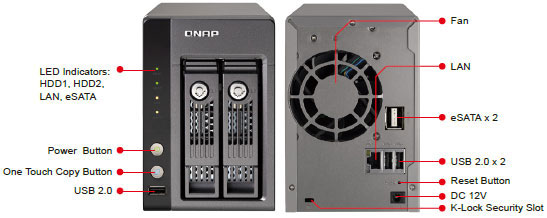
  screenshot of the web gui, with all the arty farty fancy stuff: … http://www.cyrius.com/debian/kirkwood/qnap/ QNAP TS-219P and TS-219P+ Component Comment CPU Marvell Kirkwood 88F6281 A0, 1.2 GHz (TS-219P) or 88F6282 1.6 GHz (TS-219P+) RAM 512 MB DDR II Flash […]